Aroma

For iPhone, iPad & Mac

Your recipes,
Your data,
beautifully organized.

Aroma is a calm, visual home for the recipes you love. Find something to cook tonight, follow along at the stove, plan the week, and walk into the store with a list that's already done.

Coming soon to the App Store See what it does

No account. No ads. No tracking.

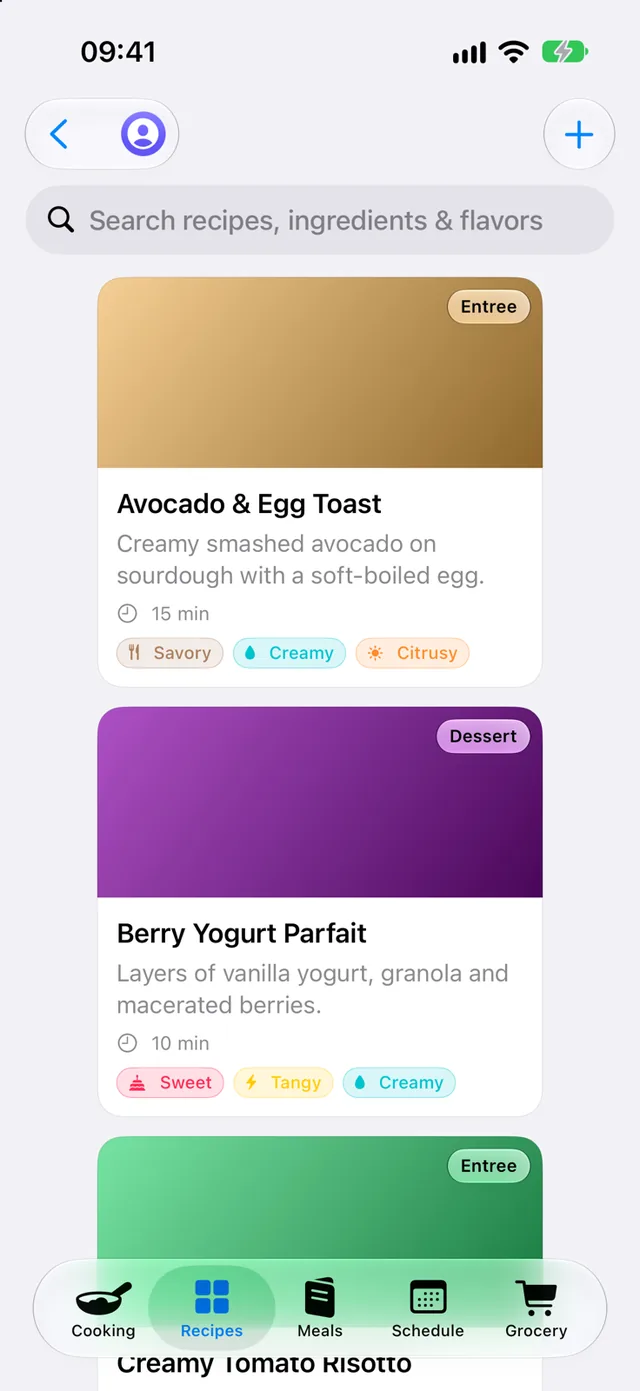
Aroma on iPhone showing the recipe collection as cards, each tagged by course and flavor.
SavorySweetSpicyTangySmokyHerbalUmamiCreamyCitrusyNutty

Everything a home cook needs,
nothing they don't.

Browse & search

Find something to cook, fast.

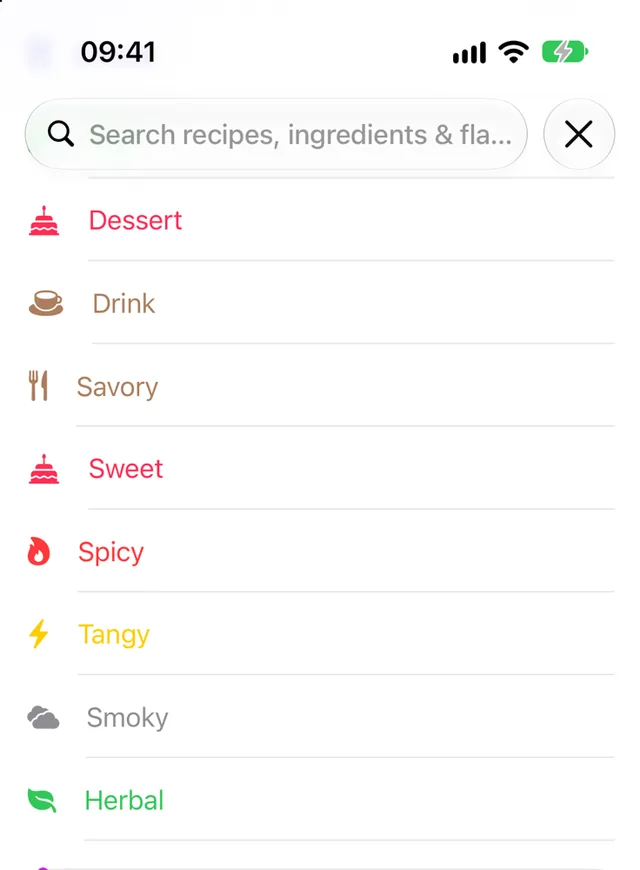
Flip through your collection like a favorite cookbook, as big photo cards, a tidy list, or a compact grid. Search by name or any ingredient, or narrow things down by course, flavor, cooking time, and favorites.

  • Every recipe tagged by course and flavor, in colors you'll learn at a glance
  • Quick filters like “Under 30 minutes” and your favorites
  • Your recent searches, one tap away
The search bar suggesting course and flavor filters such as Dessert, Savory, Spicy and Herbal, each in its own color.

Cook

Stay with the recipe, not your phone.

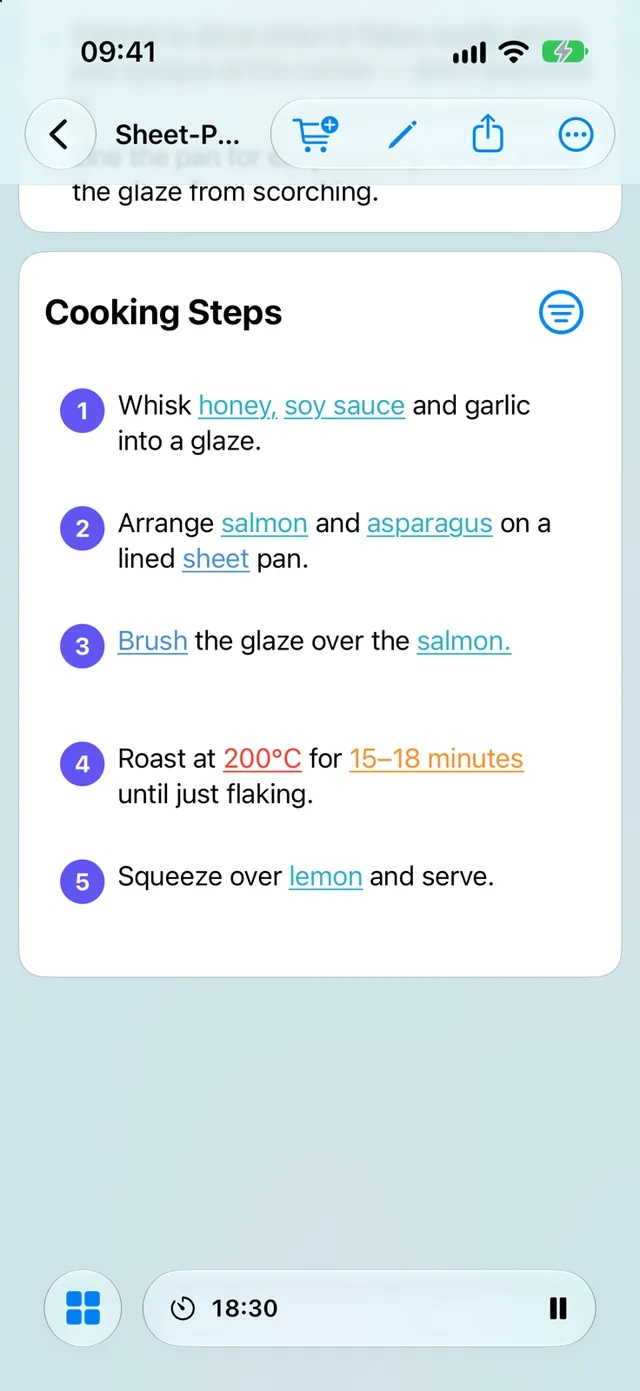
Open a recipe and everything you need is laid out clearly: ingredients, tools, steps, and your own notes. Cooking more than one dish? Keep them all close at hand while you work.

  • Scale ingredients up or down for the servings you need
  • Run several timers at once, right from the steps
  • Cook two recipes side by side on iPad and Mac
  • Follow along with recipe videos and nutrition facts
A salmon recipe's cooking steps, with ingredients highlighted and a timer running at the bottom.

Plan

Plan the week right next to your recipes.

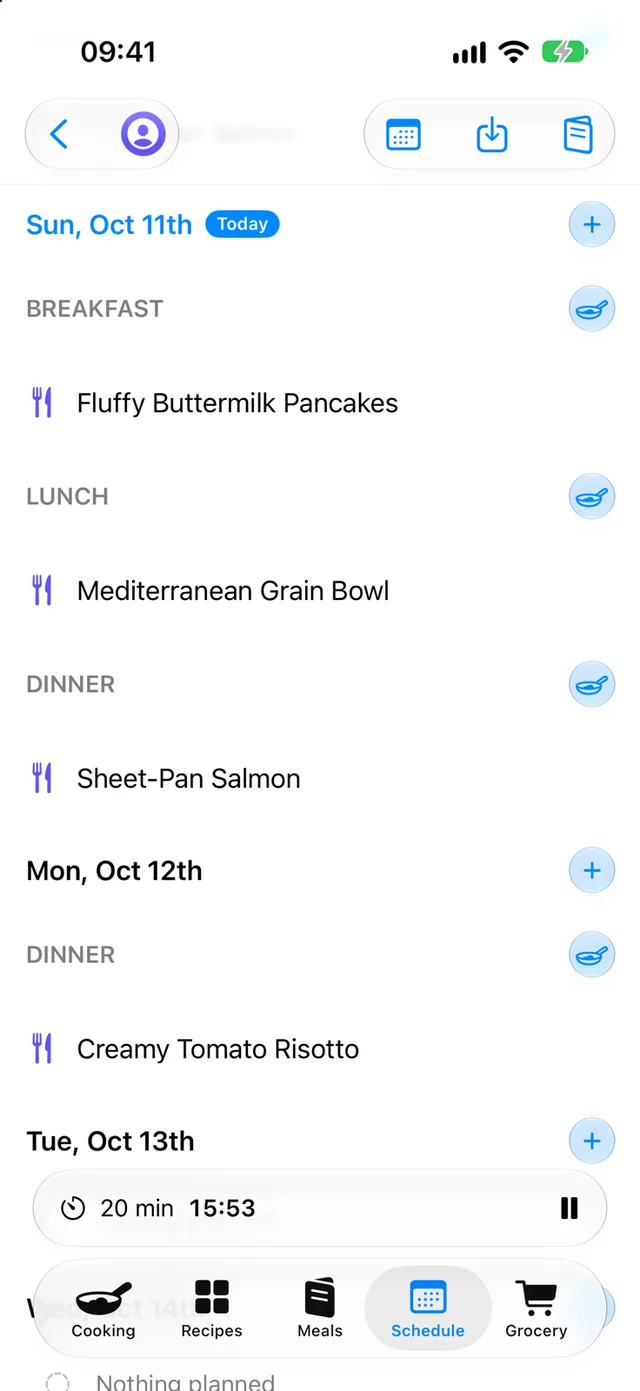
A simple, scrolling meal schedule for breakfast, lunch, dinner, and snacks. Tap any planned meal to jump straight to its recipe.

  • Save favorite menus as meals you can reuse any week
  • Get ideas for what to serve alongside a dish
The meal schedule with breakfast, lunch and dinner planned for today and dinner planned tomorrow.

Shop

A grocery list that writes itself.

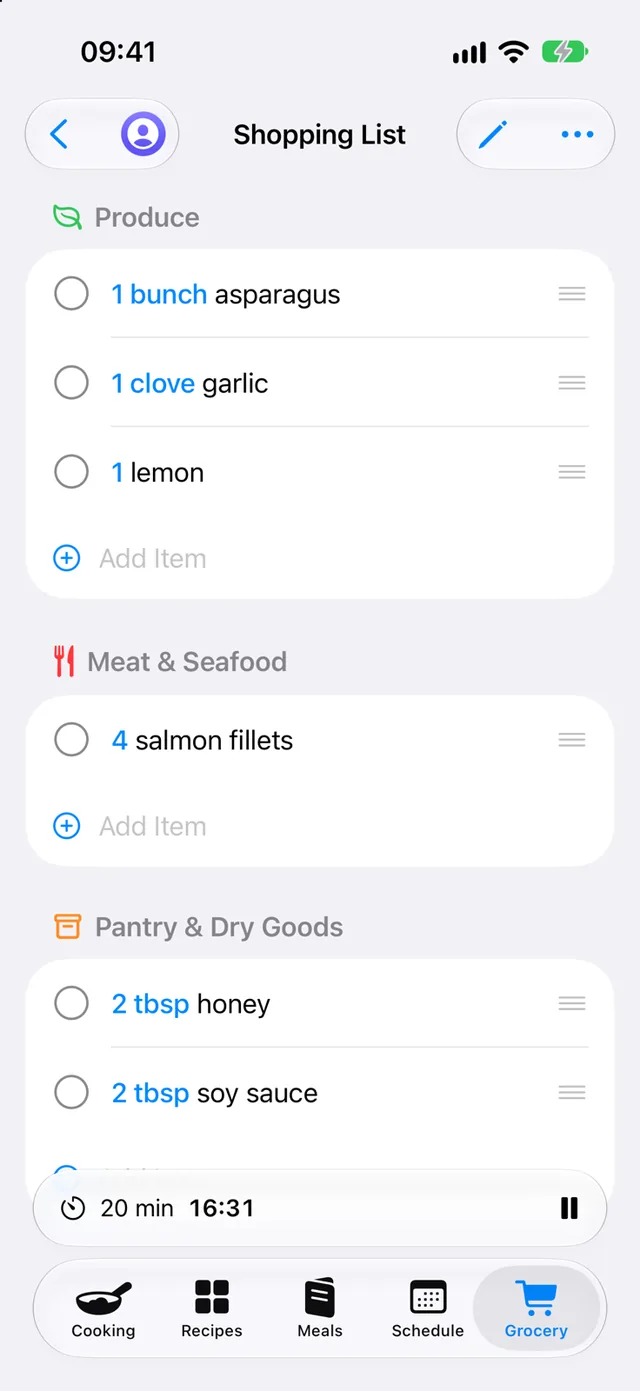
Add a recipe's ingredients to your list in one tap. Aroma adds up like items for you, so two recipes calling for onions become one line, and can sort everything by store aisle.

A grocery list for the salmon recipe, grouped into Produce, Meat & Seafood, and Pantry & Dry Goods.

Add your recipes

Bring in the recipes you already love.

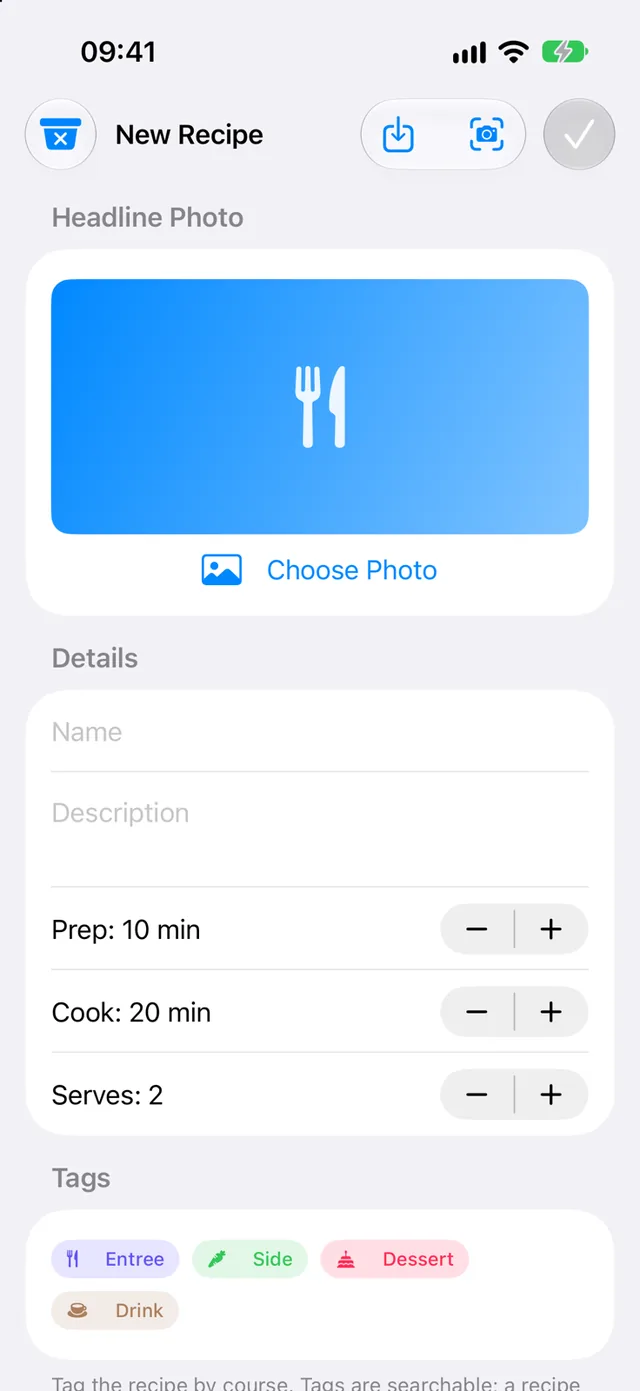
Type in a family favorite, paste a link from a recipe site, or scan a printed or handwritten card with your camera. Add a photo, steps, notes, and the flavors that make it yours.

The New Recipe form with a headline photo, name, prep and cook times, servings and course tags, plus import and scan buttons.

Private On-device AI

Smart help that stays on your device.

Aroma uses Apple's private on-device intelligence to do the busywork for you. It all runs on your iPhone, iPad, or Mac, so these features never send your recipes to an AI service, a third party, or to us.

  • Turn a scanned recipe card into a full recipe
  • Estimate nutrition and fill in missing cook times
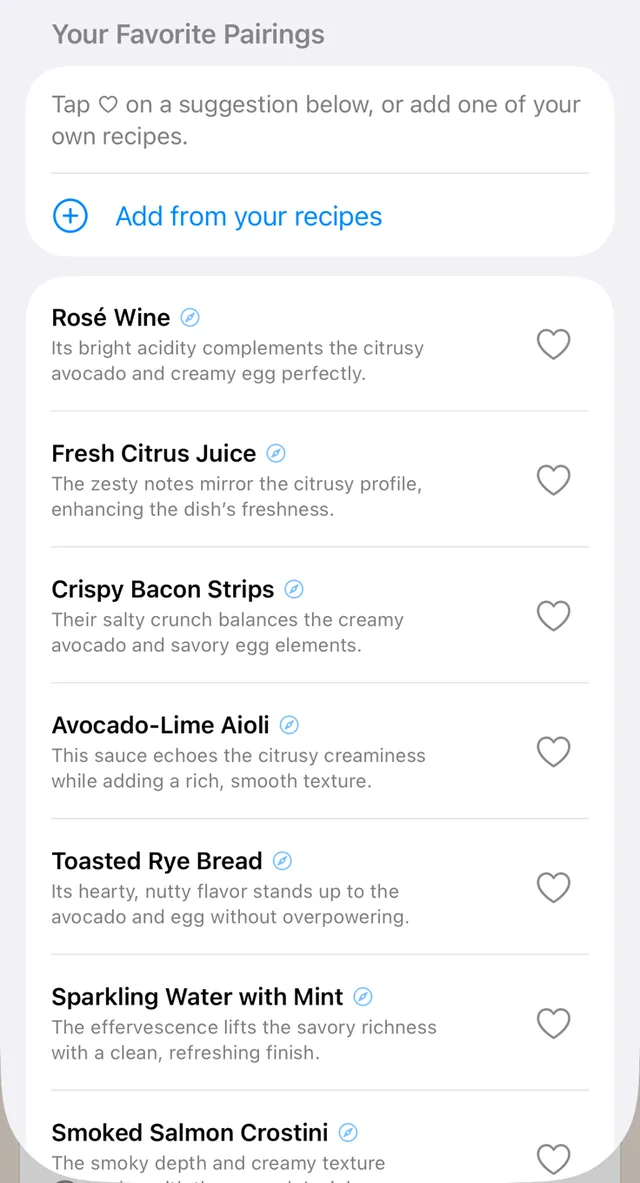
  • Suggest sides and drinks to serve alongside a dish
  • Explain an unfamiliar ingredient or tool, and sort your grocery list by aisle

Requires a device that supports Apple Intelligence.

On-device pairing ideas for avocado toast, such as fresh citrus juice and toasted rye bread, each with a short reason.
Generated on your device

Cook together, wherever you are.

Your recipes and meal plan sync across your own iPhone, iPad, and Mac through iCloud. Share your whole collection with your household, send a single recipe by link, or save one as a PDF to print.

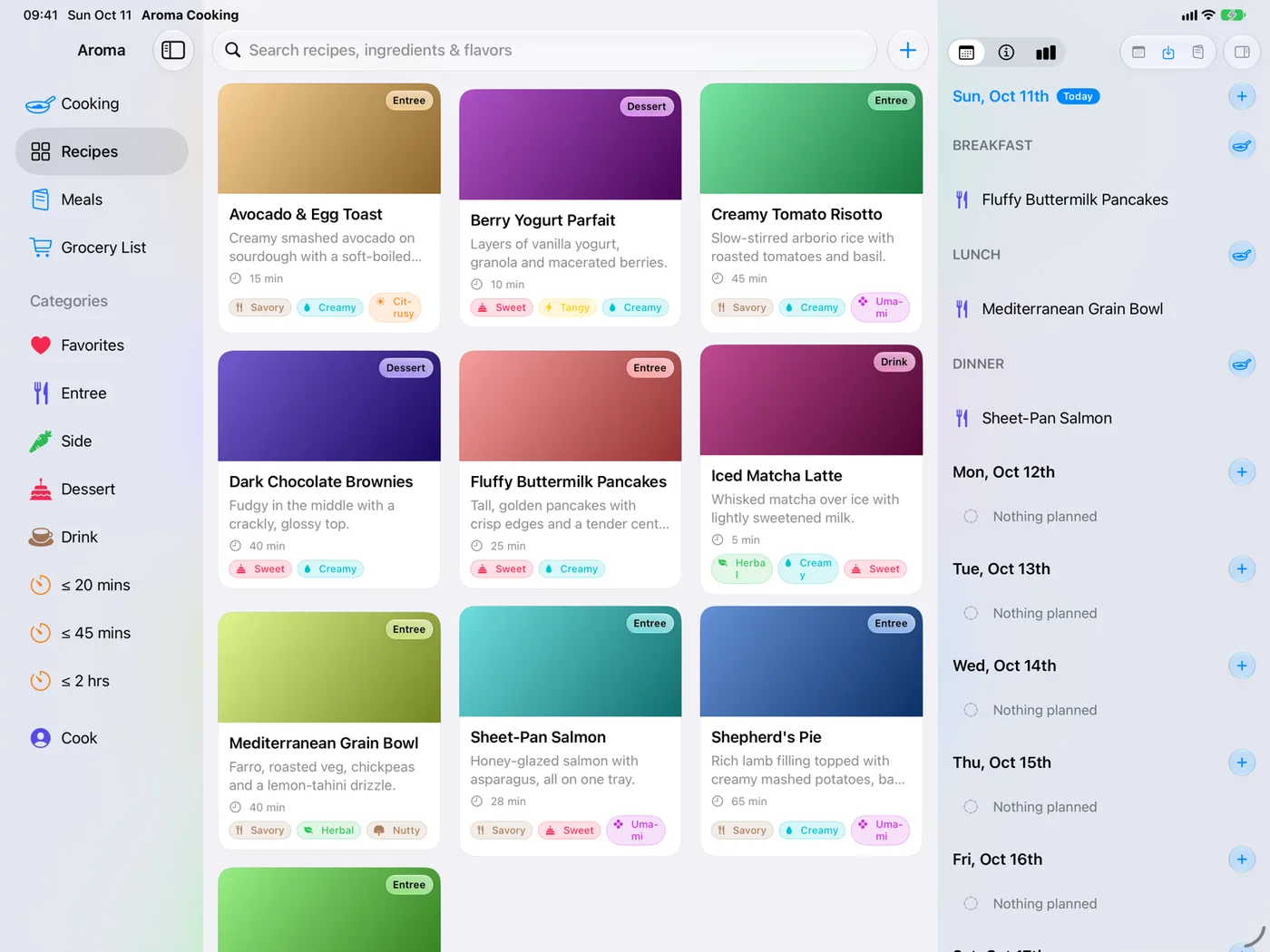
Aroma on iPad with the category sidebar, a grid of recipe cards and the week's schedule side by side.

Your kitchen, your data.

There's no Aroma account, no ads, and no tracking. Aroma doesn't collect your data or send it to us: your recipes live on your devices and in your own iCloud. The only time a recipe leaves your hands is when you choose to share it by link.

Read our privacy policy

Questions or ideas?

We read every message. Find answers to common questions or get in touch.

Get support